Couldn't load pickup availability
Replacement Battery for Lenovo Yoga 7 Slim 14ARE05 – Notebook, Laptop – 3850mAh / 15.36V
Replacement Battery for Lenovo Yoga 7 Slim 14ARE05 – Notebook, Laptop – 3850mAh / 15.36V
Is your Lenovo Yoga 7 Slim 14ARE05 no longer holding its charge? Our 15.36V 3850mAh (59.14Wh) replacement battery provides a reliable replacement option at a competitive price. This is a compatible third-party product, not manufactured or endorsed by Lenovo.
Battery Specifications
| Voltage | 15.36V |
|---|---|
| Capacity | 3850mAh |
| Energy | 59.14Wh |
| Battery Chemistry | Li-Polymer |
| Dimensions | 305.74 x 112.62 x 5.76mm |
| Weight | 248.2g |
| RechargeNZ Product Code | CS-LVY714NB |
Compatible Models
This replacement battery is compatible with the following models:
- Yoga 7 Slim 14ARE05
- Yoga Slim 7-14ARE
- Yoga 14s
- Yoga Slim 7 14ITL05 82A3003CUE
- Yoga Slim 7 14ITL05 82A1001YRM
- Yoga Slim 7 14ARE05 82A200DXFE
- Yoga Slim 7 14IIL05 82A100A3HV
- Yoga Slim 7 14ARE05 82A2002SMX
- Yoga Slim 7 14IIL05 82A1004NMH
- Yoga Slim 7 14IIL05 82A100FBRE
- Yoga Slim 7 14ITL05 82A3008XFR
- Yoga Slim 7 14ARE05 82A2008BRU
- Yoga Slim 7 14ITL05 82A30040MX
- Yoga Slim 7 14ITL05 82A1002LKR
- Yoga Slim 7 14ARE05 82A200DFTA
- Yoga Slim 7 14IIL05 82A100ALAU
- Yoga Slim 7 14ARE05 82A2002AAX
- Yoga Slim 7 14IIL05 82A10058MB
- Yoga Slim 7 14IIL05 82A100FTID
- Yoga Slim 7 14ITL05 82A3009ERU
Compatible Battery Part Numbers
This product is designed to replace the following battery part numbers:
- L19C4PF4
- L19M4PF4
- SB10W65282
- SB10W65284
- 5B10W65273
- 5B10W65276
- 5B10W65297
Before Ordering
Please compare the following details with your existing battery before ordering:
- Original battery part number — where available, this should match one of the compatible part numbers listed above
- Voltage
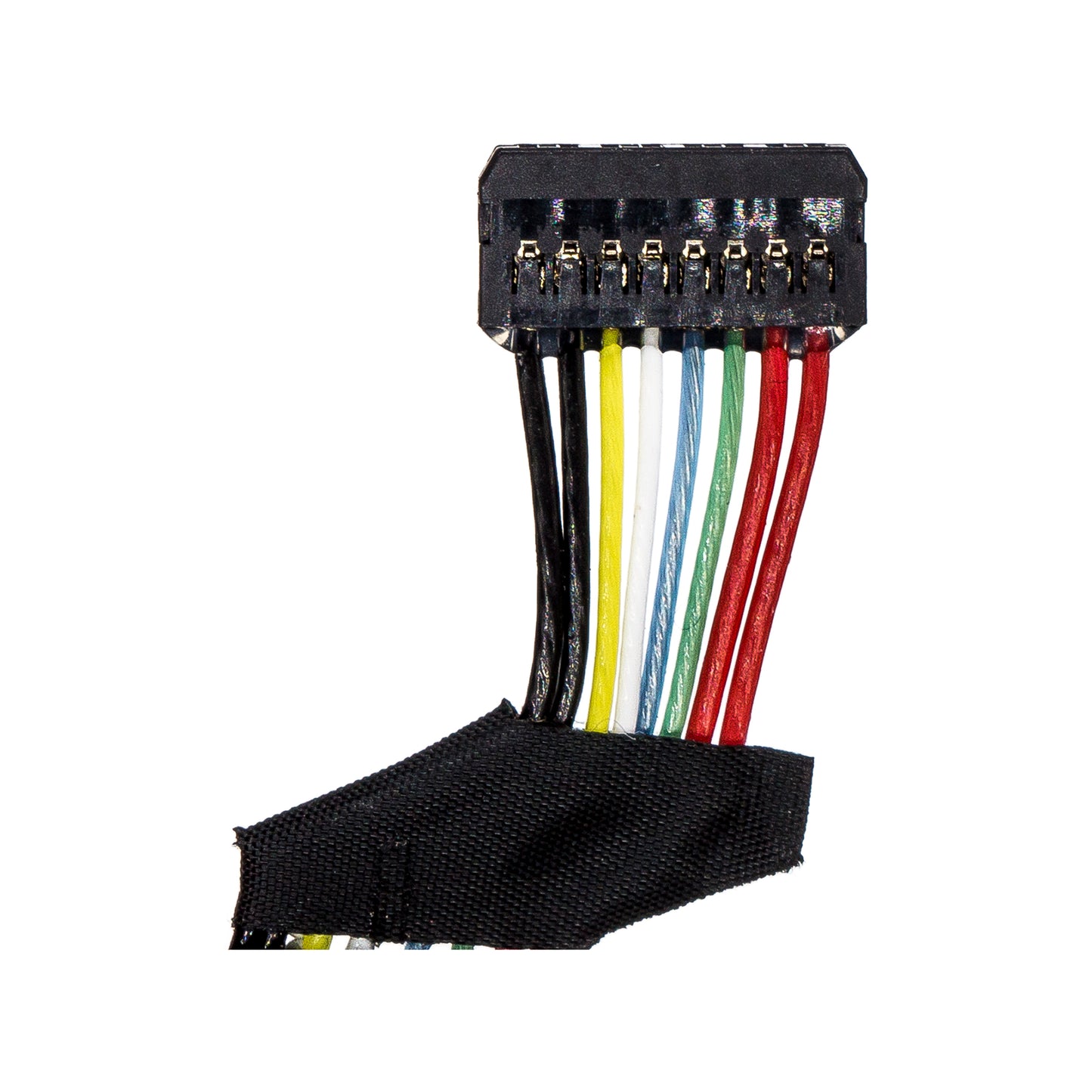
- Battery shape and connector position
- Dimensions
Product images are for reference only. Minor visual differences may occur between production batches.
Not sure if this battery will fit? Contact RechargeNZ or ask our online chat assistant and we’ll help check compatibility.
Power Boost: Get More Battery Life!
Power Boost: Get More Battery Life!
Consider Upgrading for Maximum Efficiency and Longer Run Time
Looking to get the most out of your device? Upgrading to a battery with a higher milliamp hour (mAh) rating can be a simple way to extend your device's run time and performance without additional effort.
Why Opt for a Higher mAh Battery?
A higher mAh battery holds more charge, which translates to extended usage between charges. For example, if your current battery is 2200mAh, switching to a 3000mAh option offers approximately 36% more usage time. This means less frequent charging and more productivity.
Benefits of a Higher mAh Battery:
- Longer Usage: Enjoy more time between charges, ideal for high-demand applications.
- Less Charging: Focus more on what you need to do, with fewer interruptions.
- Enhanced Efficiency: Perfect for power-hungry devices like cordless tools, smart home gadgets, or other electronics that benefit from extra power.
Is a Higher mAh Battery Safe for My Device?
Yes, it's completely safe. The voltage stays the same, so your device will operate as usual, just for longer periods. A higher mAh battery is a reliable and effective way to maximise your device’s performance.
How to Check Availability:
Higher mAh batteries may be available for various models. To check if an upgrade is possible, simply search for your device’s brand and model. Some options are available across a range of models, so make sure to explore.
Battery Care
Battery Care
Operating Instructions
- All new batteries should be fully charged. After completing 2-3 charge and discharge cycles, the battery will achieve optimum capacity.
- After the battery is fully charged, unplug it from the power source to prevent overcharging. Note: Most modern charging stations and devices automatically stop charging when the battery is fully charged, so manual disconnection may not be necessary.
- Disconnect the charging unit from the power source when not in use.
- Store batteries at moderate temperatures. If batteries will not be used for an extended period, remove them from the device and keep them in normal indoor room conditions.
- Isolate batteries from metallic objects such as coins, clips, or pens when carrying an additional battery.
- Ensure the positive (+) and negative (-) ends of the battery are facing the correct direction.
- Avoid fully charging and discharging the battery if possible: While most modern devices manage charging effectively, it’s still advisable to avoid extreme charging cycles to prolong battery life.
Warnings
- Do not apply batteries to reverse polarity or other devices.
- Do not continue to charge batteries beyond the specified time.
- Do not crush, drop, mutilate, or penetrate with foreign objects.
- Do not use or charge batteries if they appear to be leaking, discoloured, rusty, deformed, emitting an odour, or otherwise seem abnormal.
- Do not spill water on the battery or get it wet.
- Do not dispose of batteries in a fire or trash incinerator, or leave batteries in hot places or under direct sunlight, such as inside a vehicle.
- Do not attempt to disassemble, puncture, or modify the battery.
Share